Automated Task Creation
When an ECO in Aras includes software related parts, the integration automatically creates corresponding Jira epics and tasks, transferring key information such as titles, descriptions, priorities, due dates, and assignees


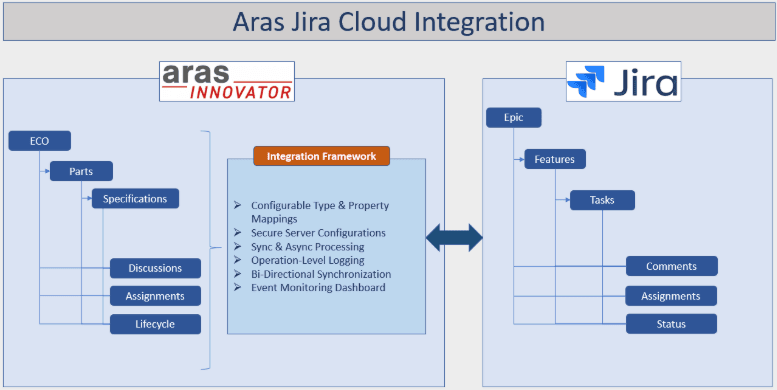
The Aras to Jira Cloud Integration bridges the gap between product lifecycle management and software development, enabling seamless collaboration across engineering, manufacturing, and software teams. Through this integration, Engineering Change Orders (ECOs), Change Requests (CRs), and Problem Reports (PRs) in Aras are automatically synchronized with epics, features and tasks in Jira Cloud. This ensures that hardware and software changes remain aligned throughout the product lifecycle.
When an ECO in Aras includes software related parts, the integration automatically creates corresponding Jira epics and tasks, transferring key information such as titles, descriptions, priorities, due dates, and assignees
Updates made in Jira such as status transitions, comments, or completion are synchronized back to Aras, keeping both systems consistent and traceable. Updates happen automatically or on-demand, so both systems stay in sync no more manual data entry or mismatched records.
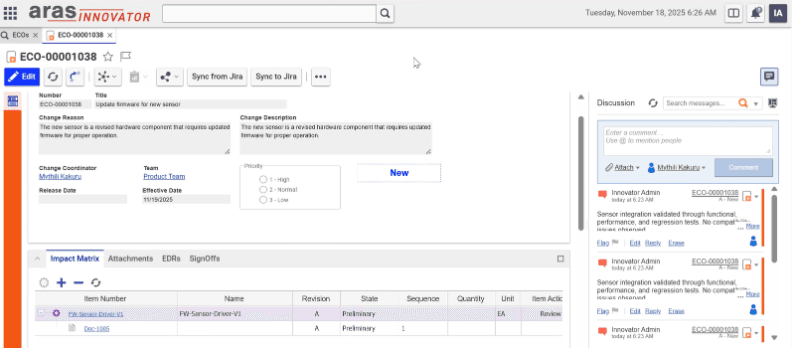
Through synced discussions in Aras and comments in Jira
Data exchange uses the authentication and authorization mechanisms of Jira Cloud.
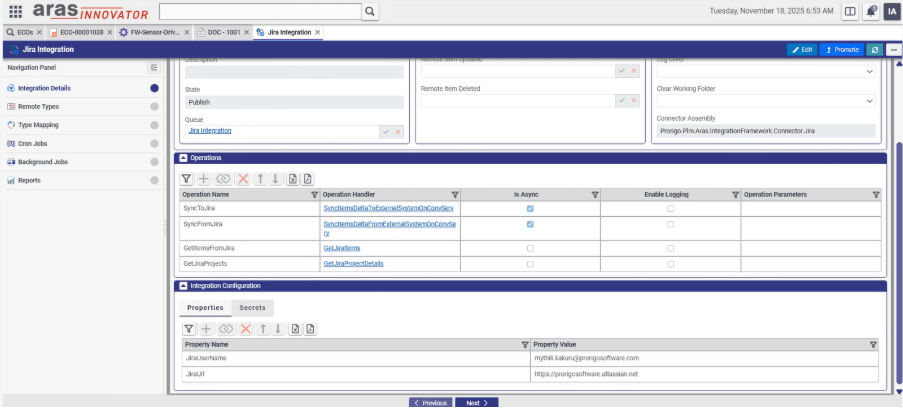
Keeps both systems in sync with the option to synchronize on-demand or through automated background updates.
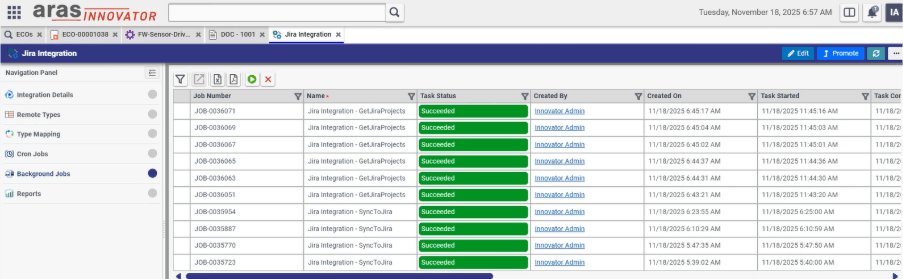
View sync status, logs, and error details for easy tracking and troubleshooting.
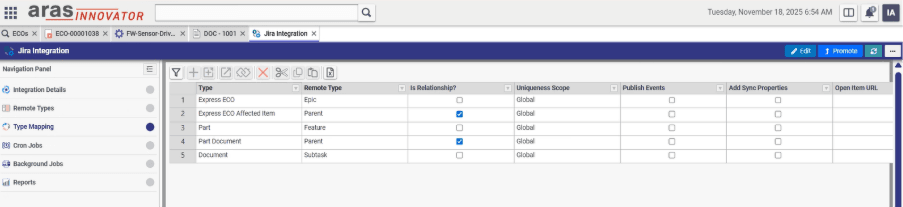
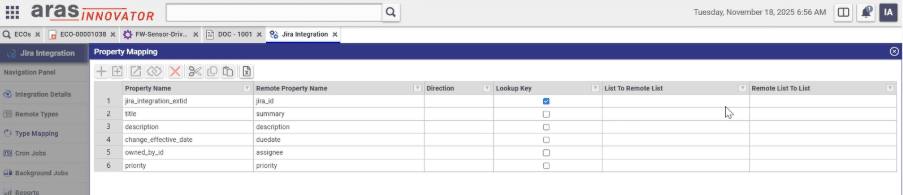
Define mappings for item types, relationships, and properties between Aras and Jira.
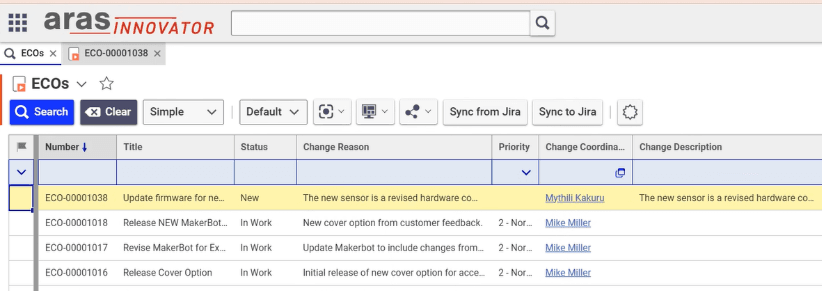
ECOs list
ECO form
Part form
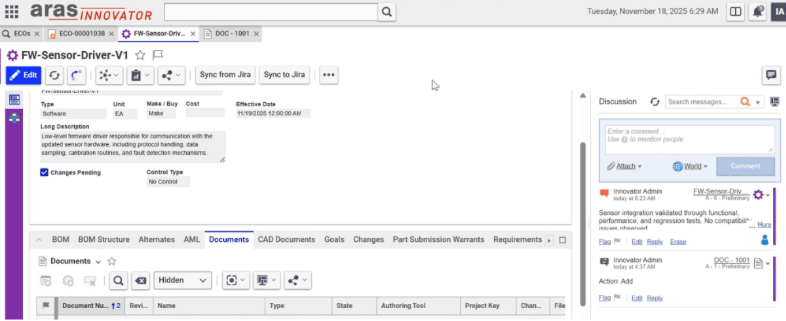
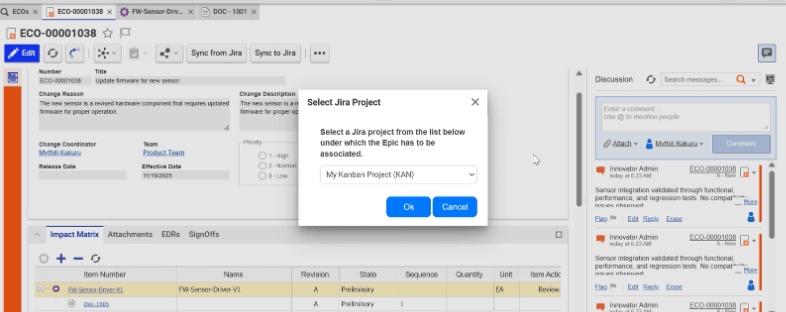
1. Select the Jira project
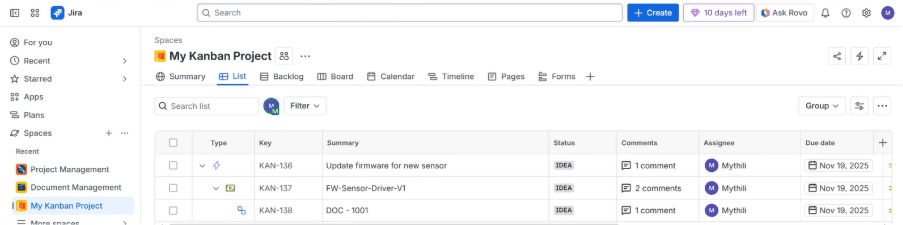
2. Work appears in Jira
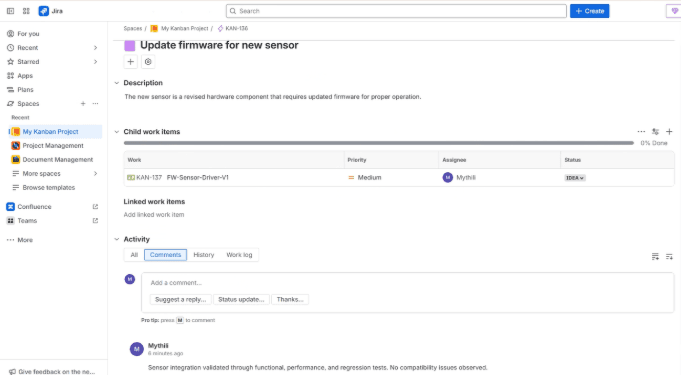
3. Details and comments in Jira
Type Mapping
Property Mapping
Background Jobs
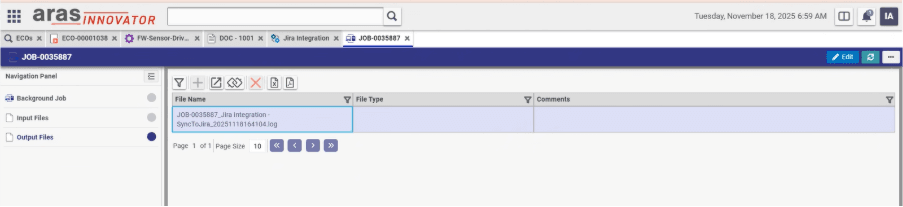
Logging on Job Events
It bridges product lifecycle management and software development by synchronizing ECOs, Change Requests, and Problem Reports in Aras with epics, features, and tasks in Jira Cloud.
The integration automatically creates the corresponding Jira epics and tasks, transferring key information such as titles, descriptions, priorities, due dates, and assignees.
Yes. Status transitions, comments, and completion in Jira are synchronized back to Aras, keeping both systems consistent and traceable.
You can run Sync from Jira and Sync to Jira on demand, or rely on automated background updates.
Yes. You define mappings for item types, relationships, and properties between Aras and Jira.
The monitoring dashboard shows sync status, logs, and error details for easy tracking and troubleshooting.
A dedicated team of support engineers is available to answer your queries, and provide help in resolution of any incidents reported, related to products and connectors developed by Prorigo.
Join the Prorigo family and collaborate with a trusted partner to bring your ideas to life. With a proven track record and a growing list of satisfied clients, we're ready to support your next big project. Connect with us today!