01
Extract
Capture defined regions using interactive Studio tools or automated commands:
- Fields
- Text
- Lists
- Tables & tree-tables
- Drawing views
- Dimensions
- Callouts
- Images


Turning Unstructured Documents into Actionable, Traceable, AI-Ready Data
Modern enterprises run on documents — drawings, specifications, reports, certificates, emails, and mixed-format files. Yet the valuable information inside these documents rarely becomes structured data in PLM, ERP, or analytics systems. DocSense solves this problem.
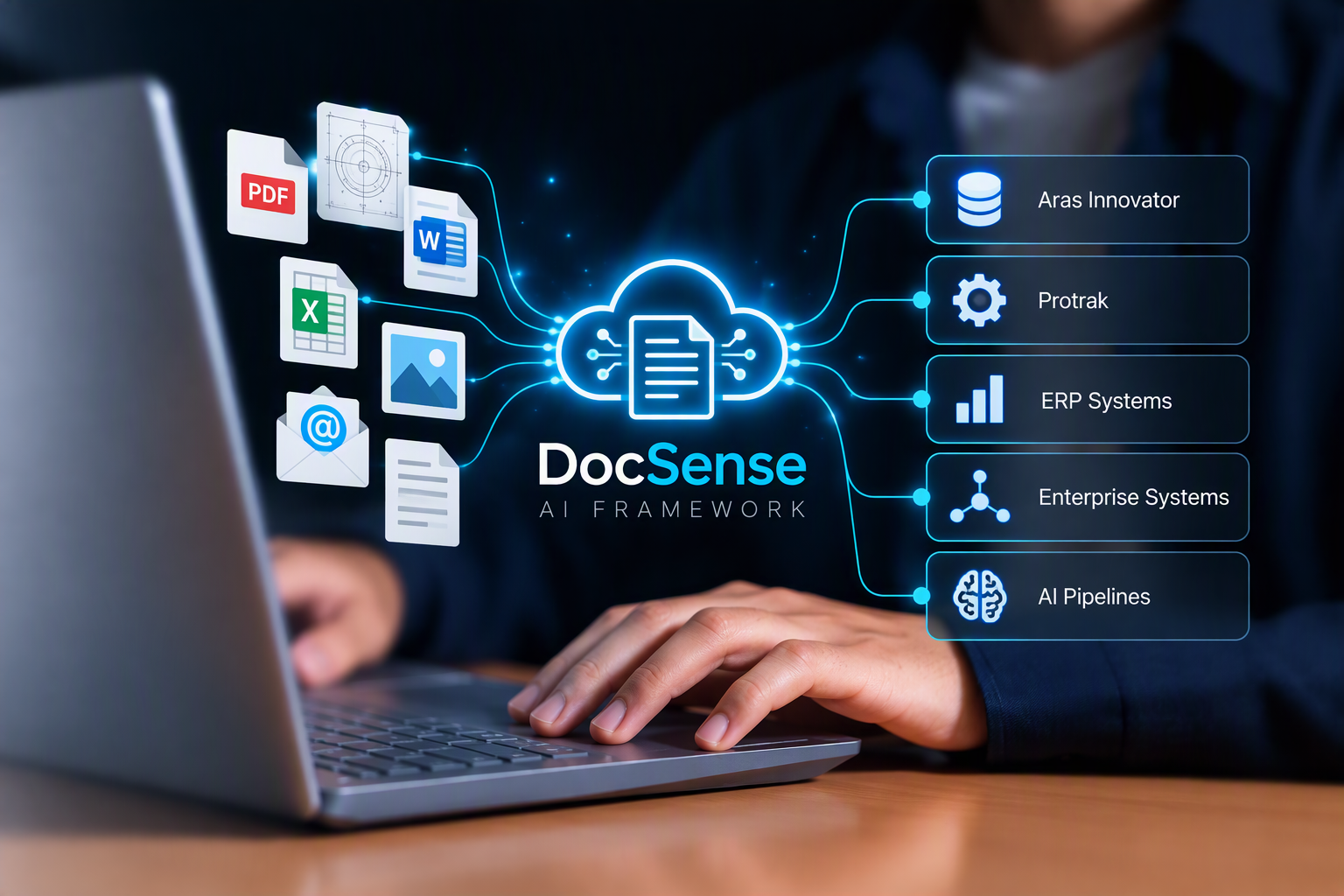
DocSense is Prorigo's unstructured document extraction and loading framework, designed to convert selected content from any document into structured, validated, traceable data ready for Aras Innovator, Protrak, ERP systems, enterprise systems and AI pipelines.
Organizations rely on documents across engineering, quality, procurement, operations, and compliance. But these documents are:
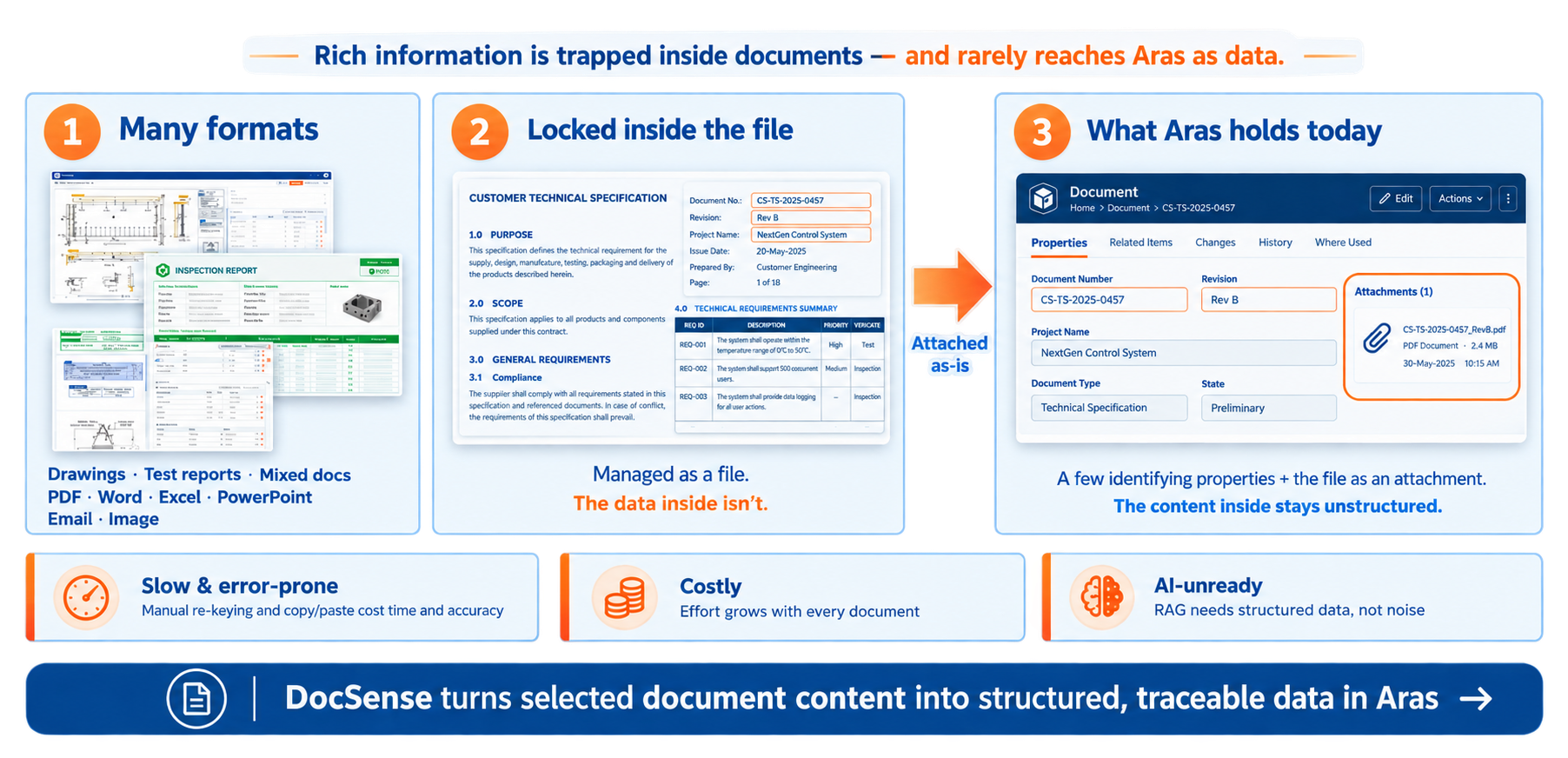
PDFs, Word, Excel, PowerPoint, images, emails.
Aras and other enterprise systems store the file, not the data inside.
Manual re-keying and copy/paste introduce delays and mistakes.
Every new document adds effort.
RAG and analytics need structured data, not noise.
DocSense eliminates these barriers by extracting only the meaningful regions of a document and mapping them directly into enterprise systems.
DocSense delivers a complete pipeline that transforms unstructured documents into structured, application‑ready data.
Capture defined regions using interactive Studio tools or automated commands:
Map extracted regions to backend schemas using:
Publish structured, validated data to:
Every extracted value remains traceable to its source content, ensuring governance and auditability.
DocSense is built as a unified extraction engine powering interactive users, enterprise applications, and knowledge ingestion pipelines.
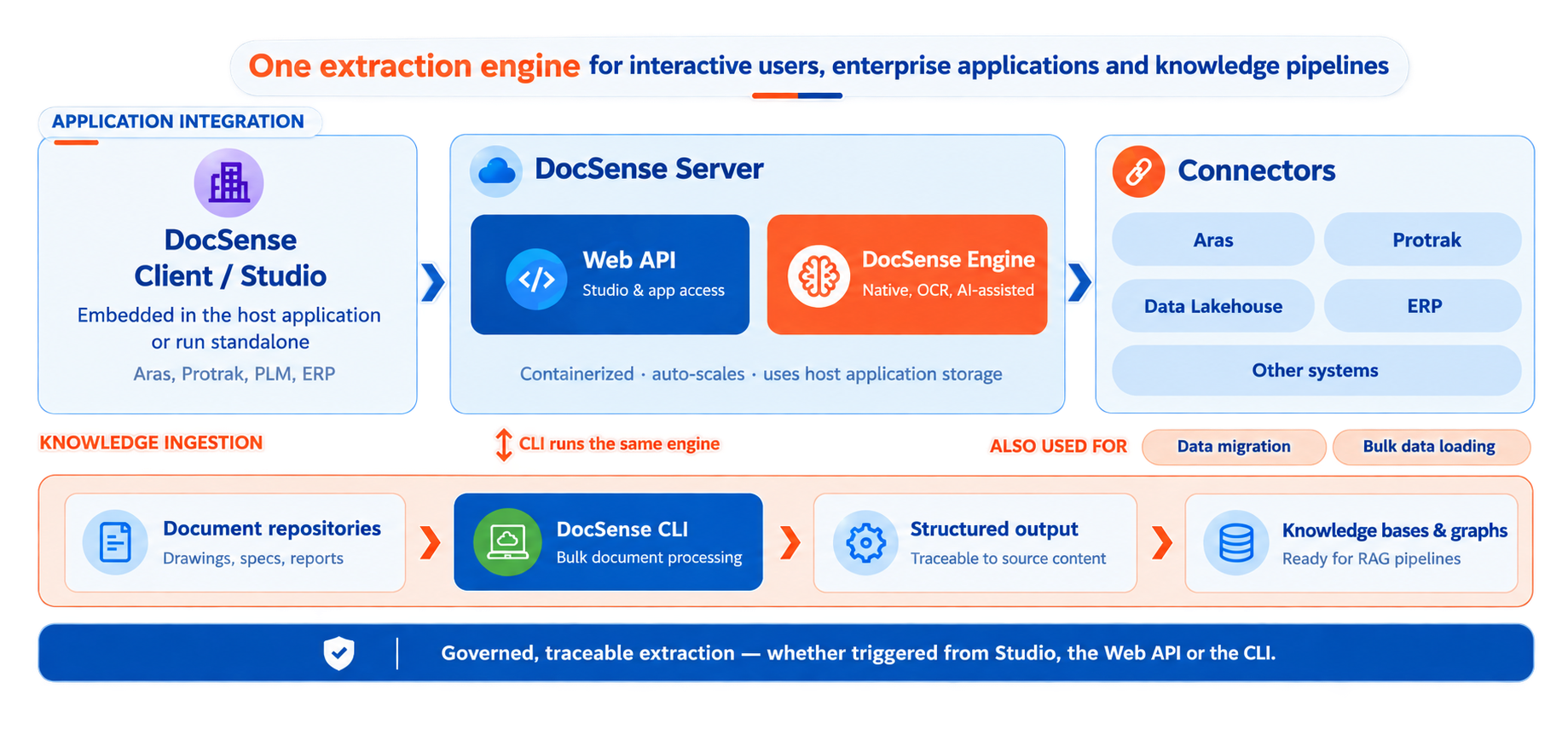
Interactive extraction, mapping, and loading — standalone or embedded in host applications.
Provides Studio access, automation endpoints, and integration services.
Native, OCR, and AI‑assisted extraction engine with raster/vector detection, optimized CV algorithms, and optional ML models.
Aras, Protrak, Epicor, PLM, ERP, Data Lakehouse, and other enterprise systems.
Bulk document processing for ingestion pipelines, archives, and knowledge graphs.
The same engine powers Studio, API, and CLI — ensuring consistent, governed extraction across all workflows.
DocSense supports a wide range of document categories — each with its own Extraction Template.
Captures: Title blocks, BOM tables, dimensions, callouts
Use case: Create part and BOM structures in PLM
Captures: Device tags, wire numbers, cross-references, cable lists
Use case: Build electrical BOMs and wiring records
Captures: Header fields, measurement tables, pass/fail results
Use case: Load quality results for traceability
Captures: Sections, requirement lists, compliance tables
Use case: Build traceable requirement records
Captures: Certificates, material properties, approvals
Use case: Accelerate supplier onboarding
Captures: Older drawings, scanned reports via OCR
Use case: Convert archives into searchable knowledge
DocSense delivers enterprise-grade extraction with deterministic, traceable results — and optional AI where it adds value.
PDF, Word, Excel, PPT, email, image.
Per document category.
Via Extraction Commands.
For template selection, schema mapping, and code generation.
For speed vs. accuracy.
Inside PLM/ERP systems.
Structured JSON for RAG, search, analytics.
Via CLI for ingestion pipelines.
Our application now supports the following file formats for document conversion and processing:
4 formats
4 formats
4 formats
2 formats
7 formats
Multi-format ingestion with raster/vector detection
Extraction of fields, text, tables, lists, drawing views, dimensions, callouts, pictures
Dedicated engineering drawing support
Template-driven region configuration
Automated extraction via commands (Python or AI prompts)
Reasoning models for auto-mapping backend schemas
Smart/Fast/Accurate extraction modes
Plugin architecture for any PLM/ERP host system
DocSense Studio is the visual environment for interactive extraction and loading.
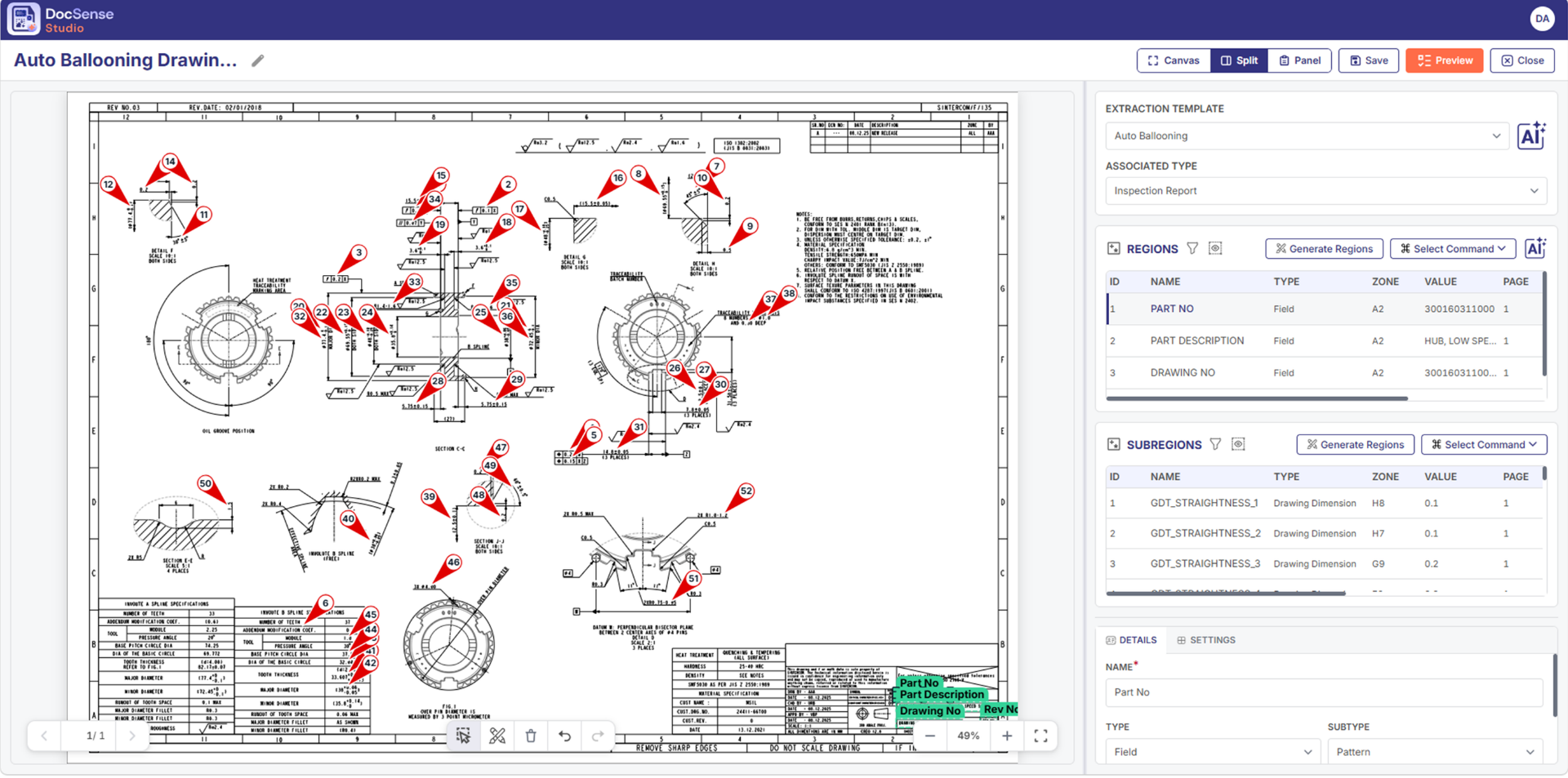
AI enhances automation without compromising determinism.
AI is optional — if no models are registered, DocSense runs in deterministic mode.
Three processing modes optimize speed vs. accuracy:
Recommended
Balanced speed + accuracy; selective OCR/ML.
Heuristic Only
No OCR/ML; ideal for digital PDFs and large batches.
Full OCR + Layout ML
Best for scanned PDFs, invoices, forms, drawings.
DocSense provides a unified, governed, AI-optional framework for turning unstructured documents into structured, traceable, enterprise-ready data.
Bring structured, validated, traceable information into your enterprise systems and AI workflows.
Talk to our teamJoin the Prorigo family and collaborate with a trusted partner to bring your ideas to life. With a proven track record and a growing list of satisfied clients, we're ready to support your next big project. Connect with us today!